
uNLIMITED DIGITAL MARKETING SUPPORT AND TECHNOLOGY
Do you want access to the most powerful digital marketing solution available for your business? Unlock limitless growth potential with our comprehensive digital marketing solution and expert support
Fill out the form below to get started!
WHAT YOU'LL GET

Unlimited Support
Gain access to unlimited support coupled with expert guidance to navigate our marketing technology seamlessly. Never feel stranded again as our team stands ready to assist you at every turn.

Comprehensive CRM Integration
Easily centralize your contacts with our CRM integration, including automatic LinkedIn imports. Track interactions across all platforms for targeted engagement strategies.

Autonomous AI Agents
Deploy agents that go beyond chat to manage pipelines and trigger complex workflows. These digital workers execute multi-step tasks 24/7, ensuring no lead is missed while autonomously scaling your operations to meet every business goal.

Industry-Specific Snapshots & Prebuilt Tools
Our platform comes with pre-built, customizable snapshots by industry loaded with automations, templates, and tools so you have begin putting our system to work on day one.

Powerful Email Marketing Tools
Utilize our robust email marketing technology to craft engaging campaigns and automate follow-ups. Maximize audience engagement and conversion rates with powerful tools designed to deliver results.

Autonomous AI Engagement
Deploy 24/7 agents that handle complex conversations and lead nurturing. These systems autonomously sync with your CRM and execute follow-up workflows, turning inquiries into sales-ready opportunities without human intervention.

Limitless Marketing Reach with Funnels
Create unlimited marketing funnels and materials effortlessly with our intuitive interface and customizable templates. Scale your outreach efforts exponentially and capture leads with ease.
MARKETING TECHNOLOGY FEATURES
Social Media Scheduling: Schedule social media across all major channels and have unlimited recurring posts
CRM & Pipeline Management: Track leads, manage customer relationships, and monitor sales pipelines in one place.
Automated Follow-Ups: Create custom workflows for email, SMS, and call reminders to engage prospects effortlessly.
Smart Workflow Automation: Automate lead routing and pipeline updates using AI that triggers personalized follow-ups based on real-time prospect sentiment.
Custom Chatbots: Qualify leads and answer inquiries 24/7 with AI-powered chat solutions.
Multi-Channel Marketing: Run email campaigns, text messages (SMS), and social media ads from a single platform.
Landing Page Builder: Design high-converting pages with drag-and-drop tools and customizable templates.
Appointment Scheduling: Allow customers to book directly into your calendar with automated reminders.
Review Management: Generate, track, and respond to customer reviews to boost online reputation.
Payment Processing: Accept payments seamlessly through the platform.
Industry-Specific Marketing Tools
Our platform comes with pre-built, customizable snapshots ready to use.
Unlimited Integrations: Compatable with Make.com and Zapier for unlimited integrations and AI automations.
Call Tracking & Recording: Monitor call performance and record important conversations for training and analysis.
AI Booking Agents: Deploy autonomous agents to qualify leads and book meetings directly into your calendar via SMS and DM 24/7.
Analytics Dashboard: Access real-time reporting on campaign performance and business metrics, including advertising reporting via Meta and Google.
Membership & Course Hosting: Create and sell online courses or membership programs directly through the system.
Lead Nurturing Funnels: Build automated sequences to turn cold leads into loyal customers.
Unlimited Users: Add your entire team to collaborate without additional licensing fees.
Mobile App: Manage your business on the go with the iOS and Android mobile apps.
Dedicated Support: Get expert assistance to help you maximize platform features.
WHO IS THIS FOR?
This plan is ideal for any business owner or marketing team looking to elevate their marketing efforts to the next level.
Whether you're a startup seeking growth or an established enterprise aiming for expansion, our Unlimited Digital Marketing support and technology are tailored to meet your needs.
If you desire to upgrade your marketing strategies while having dedicated support every step of the way, this plan is perfect for you.


How to Create and Send Estimates in Unlimited Digital Marketing
Most deals don't start with an invoice. They start with a number — the price you quote a customer before any work begins, the figure they say yes or no to. That quote is where the sale is actually won or lost, and for a lot of businesses it's handled with a hastily typed email or a verbal "it'll run you about…" that nobody writes down. Then the project drifts, the scope creeps, and three weeks later you're arguing about what was agreed to.
An estimate fixes that. It puts your quote in writing, in a clean branded document the customer can review, accept, or reject with one click — and once they accept, you turn that same estimate into an invoice without rebuilding a thing. Unlimited Digital Marketing gives you a dedicated estimates tool that sits right alongside your invoices, so the whole arc from "here's the price" to "you've been paid" lives in one place.
This guide covers the full estimate lifecycle: creating and sending one, letting your customer accept or reject it, converting an accepted estimate into an invoice, and tracking where every quote stands in your pipeline.
Where Estimates Fit
Think of estimates as the front end of your payment process. The full sequence looks like this: you send an estimate, the customer agrees to it, and you send an invoice to collect. The estimate is the document that gets everyone aligned on price and scope before money changes hands — which means fewer misunderstandings later and a paper trail you can point to if a question ever comes up.
Because the estimate and the eventual invoice share the same system, you never re-enter the same line items twice. The quote you build is the same record that becomes the bill. That single connection is what makes estimates worth using instead of firing off a number in an email.
Creating and Sending an Estimate
Everything related to billing lives in the same area of your dashboard. From the left-hand menu, go to Payments > Invoices & Estimates, then open the Estimates tab. This is where every quote you create lives, organized by its current stage.
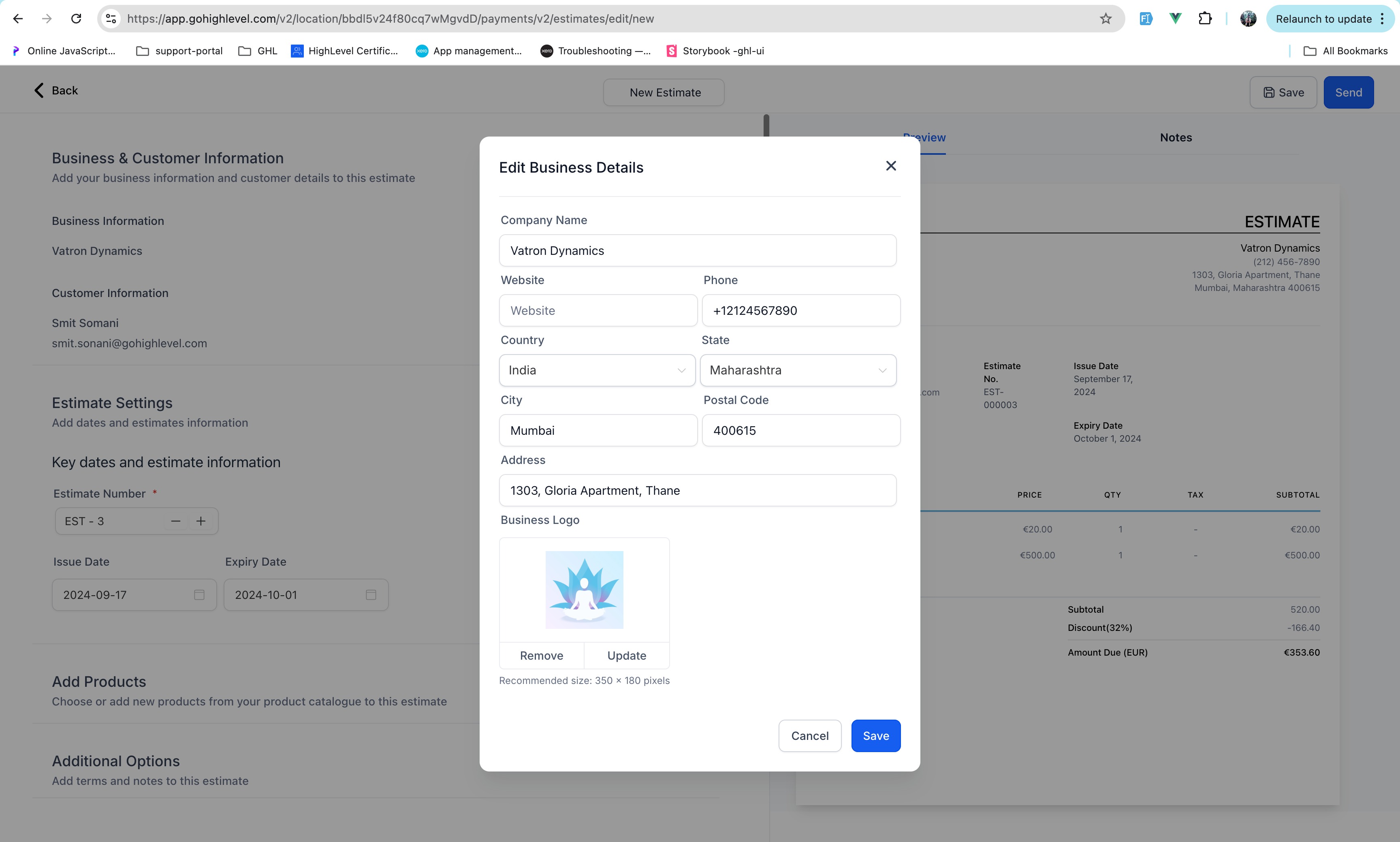
To start a new quote, click the New button. The estimate builder opens, and you'll fill in the details that make the document complete: your business information, the customer's information, an estimate number, and an expiry date. That expiry matters more than it looks — putting a "valid until" date on a quote gives the customer a gentle reason to decide rather than letting your number sit open-ended forever.
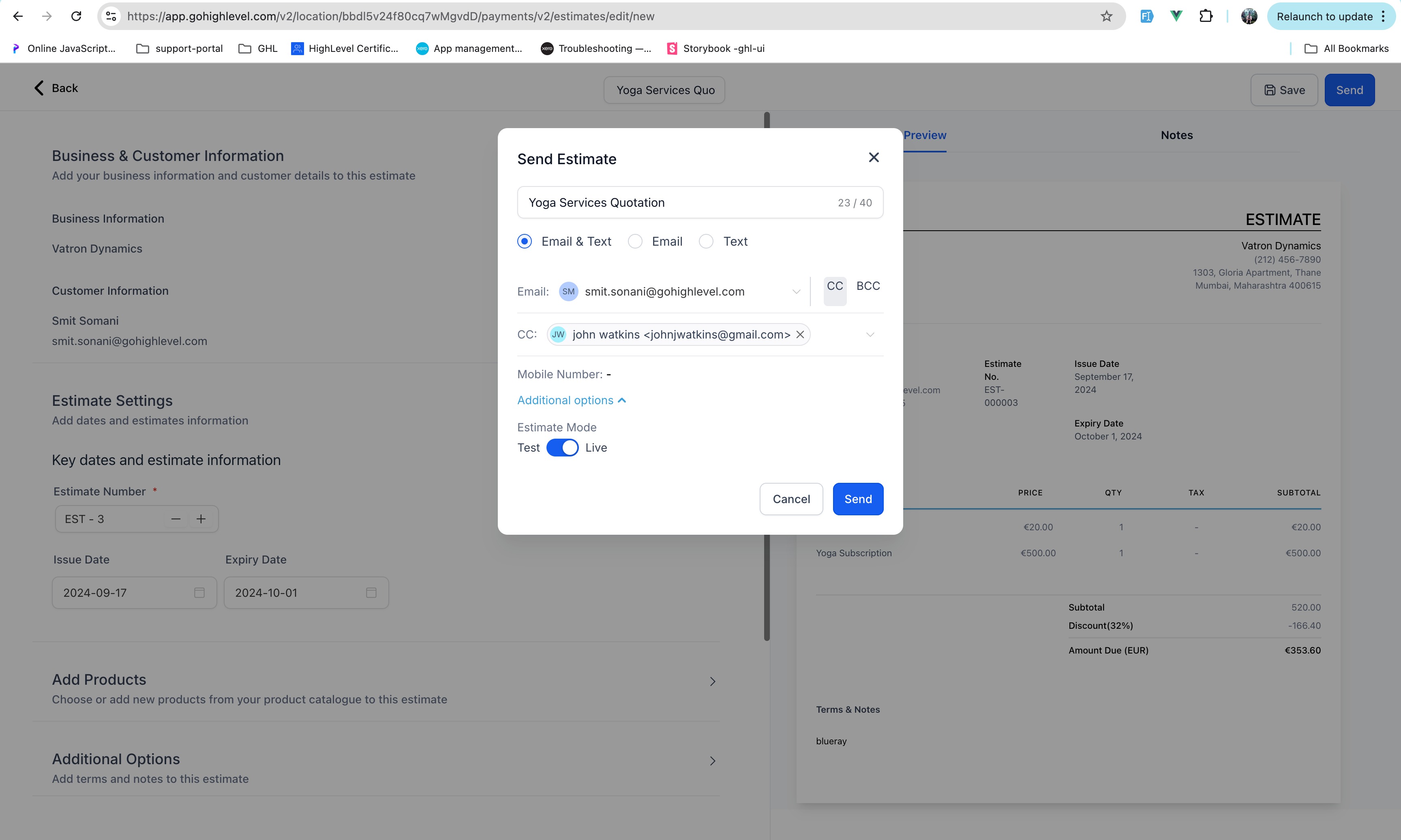
Next, add the products or services you're quoting, with their prices. As you build, you get a full preview of what the customer will see, so the document that goes out is exactly the document you reviewed. When it's ready, review it once more and send it directly to your client — you can deliver an estimate by email or by text, whichever reaches that customer fastest.
Letting Customers Accept or Reject
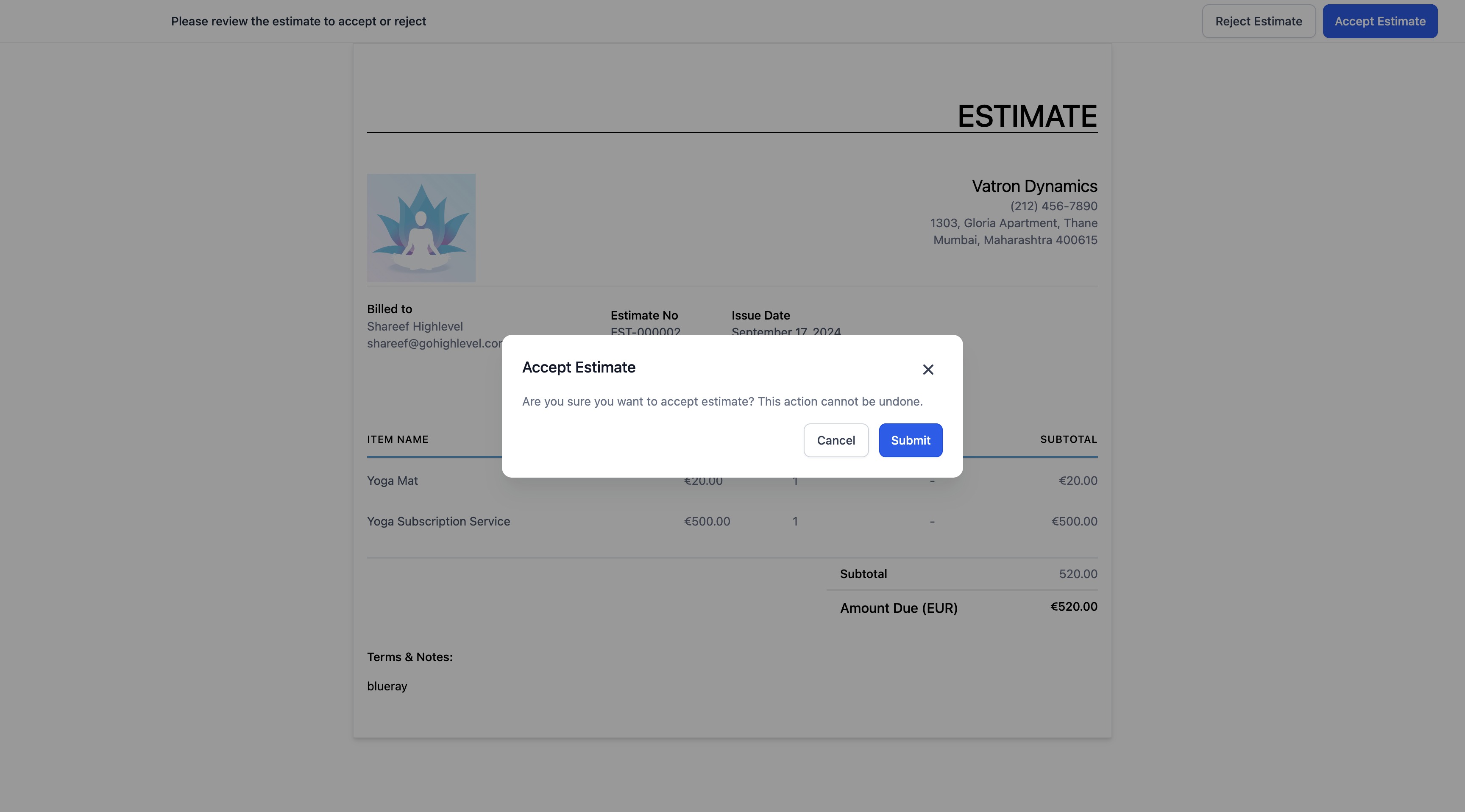
This is the part that turns a static quote into a real decision point. When your customer opens the estimate, they can act on it directly: clicking Accept marks the estimate as accepted, and clicking Reject marks it as rejected and lets them add a note explaining why. That note is valuable — a customer who declines because the price is high is a very different lead than one who declines because the timing is wrong, and now you have it in writing.
You're not locked into making the customer click, either. If you've already gotten a yes (or a no) over the phone, you can update the estimate yourself using Mark as accepted or Mark as rejected so your records stay accurate no matter where the conversation actually happened. Either way, the estimate's status reflects reality, and you always know which quotes are live.
Converting an Accepted Estimate Into an Invoice
Here's the payoff. Once a customer approves an estimate, you don't start a new invoice from scratch — you convert the one you already built. Open the accepted estimate and click Create an invoice, or kick off the same conversion straight from the dashboard. The line items, the pricing, the customer details all carry over, and you're sending a bill in seconds instead of rekeying everything you already typed once.
This is the entire reason estimates and invoices live in the same tool. The quote your customer said yes to becomes the invoice you collect on, with no gap for transcription errors and no duplicated effort. You go from agreement to billing in a couple of clicks.

Tracking Your Pipeline
A quote you've forgotten about is a sale you're not closing. The estimates dashboard is built to keep that from happening by showing you where every estimate stands at a glance.
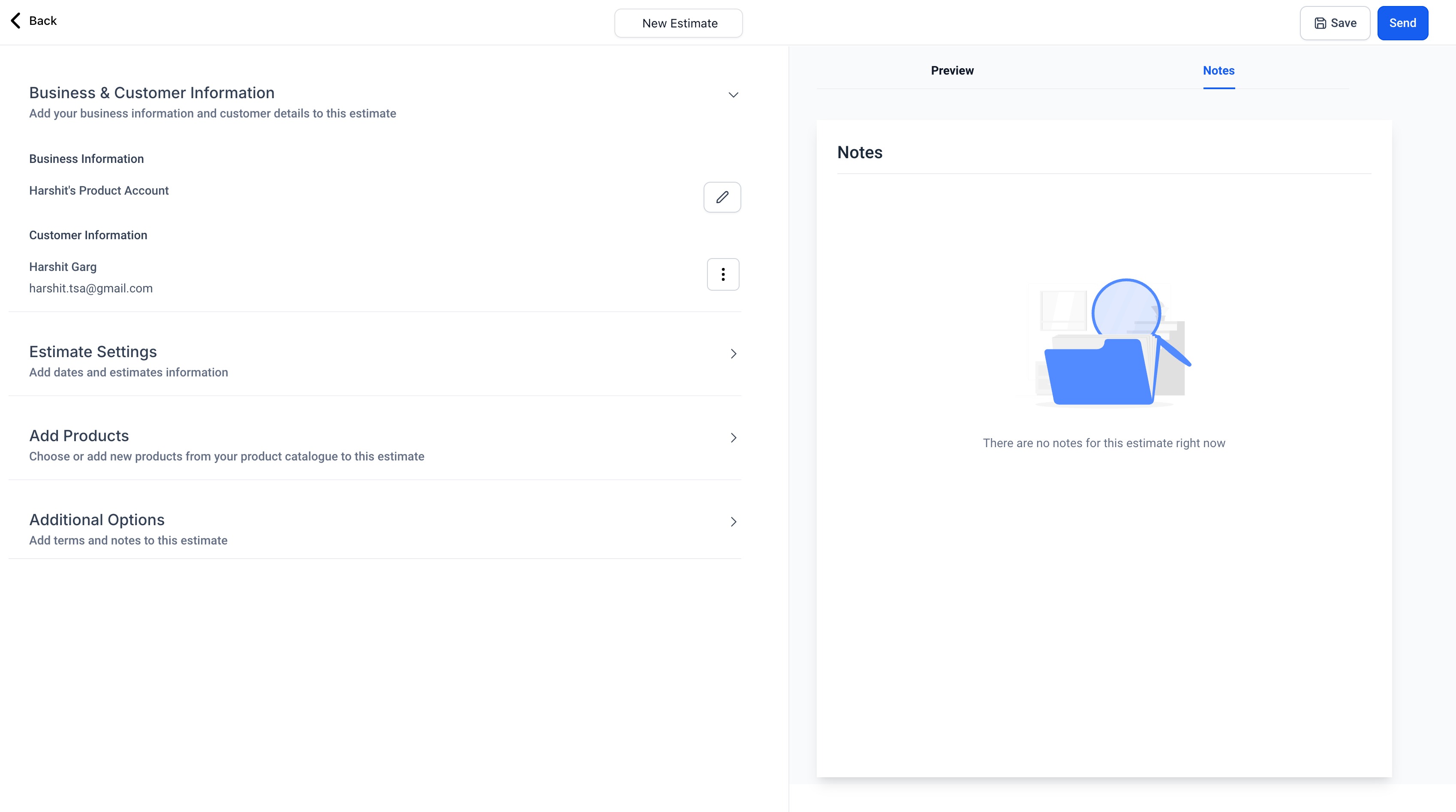
Each estimate carries a clear stage — Draft, Sent, Accepted, Declined, or Invoiced — so a single look tells you what's still being built, what's waiting on the customer, what's been agreed to, and what's already moved into billing. Beyond the individual statuses, the cards across the top of the dashboard show you the total value of the estimates sitting in your pipeline, which turns your quotes into a rough forecast of revenue you're chasing. And any notes your team adds — whether on the dashboard or inside the estimate builder itself — stay attached to the record, so context never gets lost between the person who quoted and the person who follows up.
That visibility is the difference between estimates that quietly expire and estimates you actively work toward a close.
Make Your Estimates Look Like You
A quote is a first impression, so it should carry your brand the same way an invoice does. In your settings, you can customize estimates with your company's branding and terms, so every quote that leaves your account looks polished and consistent rather than generic. Setting this up once means every estimate you send afterward already looks the part — no per-document fiddling required.
Frequently Asked Questions
What's the difference between an estimate and an invoice?
An estimate is a quote you send before work begins — a proposed price the customer can accept or reject. An invoice is the actual request for payment once that work is agreed to or done. The two are connected: in Unlimited Digital Marketing, an accepted estimate converts directly into an invoice, so you quote once and bill from the same record.
Can my customer accept an estimate online, or do I have to mark it myself?
Both options work. Your customer can click Accept or Reject right on the estimate you send them, and a rejection lets them leave a note explaining the decision. If they've already confirmed by phone or in person, you can update the status yourself with Mark as accepted or Mark as rejected so your dashboard always reflects what's really happening.
Do I have to rebuild the invoice after an estimate is approved?
No — that's the whole point of keeping estimates and invoices together. Open the accepted estimate and click Create an invoice (or start the conversion from the dashboard), and all the details carry over automatically. You're not retyping line items or prices.
How do I keep track of estimates I've sent?
The Estimates tab under Payments > Invoices & Estimates shows every quote by stage — Draft, Sent, Accepted, Declined, or Invoiced — along with the total pipeline value across the top of the dashboard. You can see what's outstanding, what's been accepted, and what's already been converted to an invoice, all in one view.
Can I set an expiration date on an estimate?
Yes. When you build an estimate you can add an expiry date, which gives the customer a clear window to decide and keeps stale quotes from lingering indefinitely.
Ready to Quote Like a Pro?
Estimates turn a loose verbal price into a clean, branded document your customers can act on — and once they say yes, the path to getting paid is one click away. It's all built into your Unlimited Digital Marketing dashboard, right next to your invoices.
Log in at app.ajaxunion.com to create your first estimate, and find more tutorials and guides at https://unlimiteddigitalmarketing.com/blog

HOW MUCH IS IT?
Our monthly subscription is just $249*, providing you with unlimited access to all features and support without any hidden fees. Try it FREE for 7 days!
Enjoy the flexibility to cancel or upgrade your subscription at any time, ensuring you get the most value out of your investment in comprehensive digital marketing support and cutting-edge technology.
*Some features have usage-based fees - learn about them here.
WATCH NOW
Unlimited Digital Marketing
Marketing Automation Workshop Replay
Learn how our software can help you start nurturing your prospects and grow your business from the top of the funnel to the bottom line.
In this video you’ll learn:
Easy ways to organize your contacts and communicate better.
Simple methods for creating and handling social media posts.
Time-saving automation to make nurturing leads easier.
Ways to manage reviews and boost your company's reputation.
TAKE THE NEXT STEP TOWARDS DIGITAL MARKETING SUCCESS
Ready to revolutionize your marketing efforts?
Fill out the form below to access unlimited support, cutting-edge technology, and expert guidance.
Get started today for $249/mo or $2,490/yr with a FREE 7-day trial.
Additional Resources
Authority Blueprint
In this highly personalized process, we create an optimized LinkedIn marketing strategy for you, optimize your LinkedIn profile, and produce a calendar of content ideas for you to update your LinkedIn on a daily basis—complete with copy to get you started!
evyAI LinkedIn Assistant
Enhance your LinkedIn™ presence with evyAI,
a Chrome extension and a web app that supports your LinkedIn™ activities.
Create Personas, generate ideas, craft posts and 10x your LinkedIn™ exposure and productivity.
Monthly Strategy Session
Join our free monthly strategy session to get expert feedback on your current B2B marketing approach. Learn actionable ways to attract more leads and generate high-quality referrals.